Car rental booking system
Take bookings without promising the same car twice.
CarFleex keeps reservations, active rentals and maintenance dates on each vehicle’s own schedule. When you create or change a booking, it is checked against that schedule, and an overlap is rejected before it turns into an awkward phone call.
Free for up to 5 vehicles. No credit card required.

Why bookings go wrong
Most double bookings are a record-keeping problem.
Rental businesses rarely overbook because of one careless moment. It happens when bookings live in more than one place.
Inquiries arrive everywhere
Calls, Facebook messages and walk-ins each end up in a different notebook, chat thread or sheet, and nobody sees all of them at once.
Dates without times
A car due back at 6 PM is not free for a 9 AM pickup that same day, yet a date-only list shows both as “the 14th”.
Extensions live in someone’s head
When a renter keeps the car another day, the next reservation is at risk until somebody remembers to look.
Money sits apart from the booking
A deposit noted somewhere else makes it hard to tell, at the counter, what a booking has actually paid.
Reservations
Hold a vehicle for a customer before they arrive.
A reservation ties one customer to one vehicle for an exact start and end date and time, with the deposit recorded against it.
- Pending, confirmed, cancelled and completed statuses
- Deposit amount saved with the reservation
- Change the dates or the vehicle and the overlap check runs again
- Convert it to a rental with Proceed to Rental when the customer arrives

Rentals and returns
Record the pickup properly, and close it out on return.
Pick the customer and vehicle, choose a 12-hour, daily, weekly or monthly rate, and CarFleex prices the rental from that vehicle’s own rates.
- Odometer and fuel level at check-out
- Pick-up or delivery, with a delivery location and destination
- Self-drive, or one of your own drivers assigned to the rental
- Payment status of pending, partial or paid, plus the deposit
- Late fees and damage charges added when the car comes back


Fleet calendarPro
Every vehicle on one timeline, colour-coded as reserved, rented, due today, overdue, in maintenance or blocked. Spot a gap, or a clash, at a glance.
Returns and reminders
See what needs attention today.
The dashboard counts returns due today, overdue returns and pending reservations, so the morning starts with a list instead of a search.
- Daily reminder notifications for overdue rentals, rentals due within 24 hours and upcoming reservation pickups
- Reminders also reach the Android app as push notifications
- An overdue rental with an unpaid balance says so in the reminder
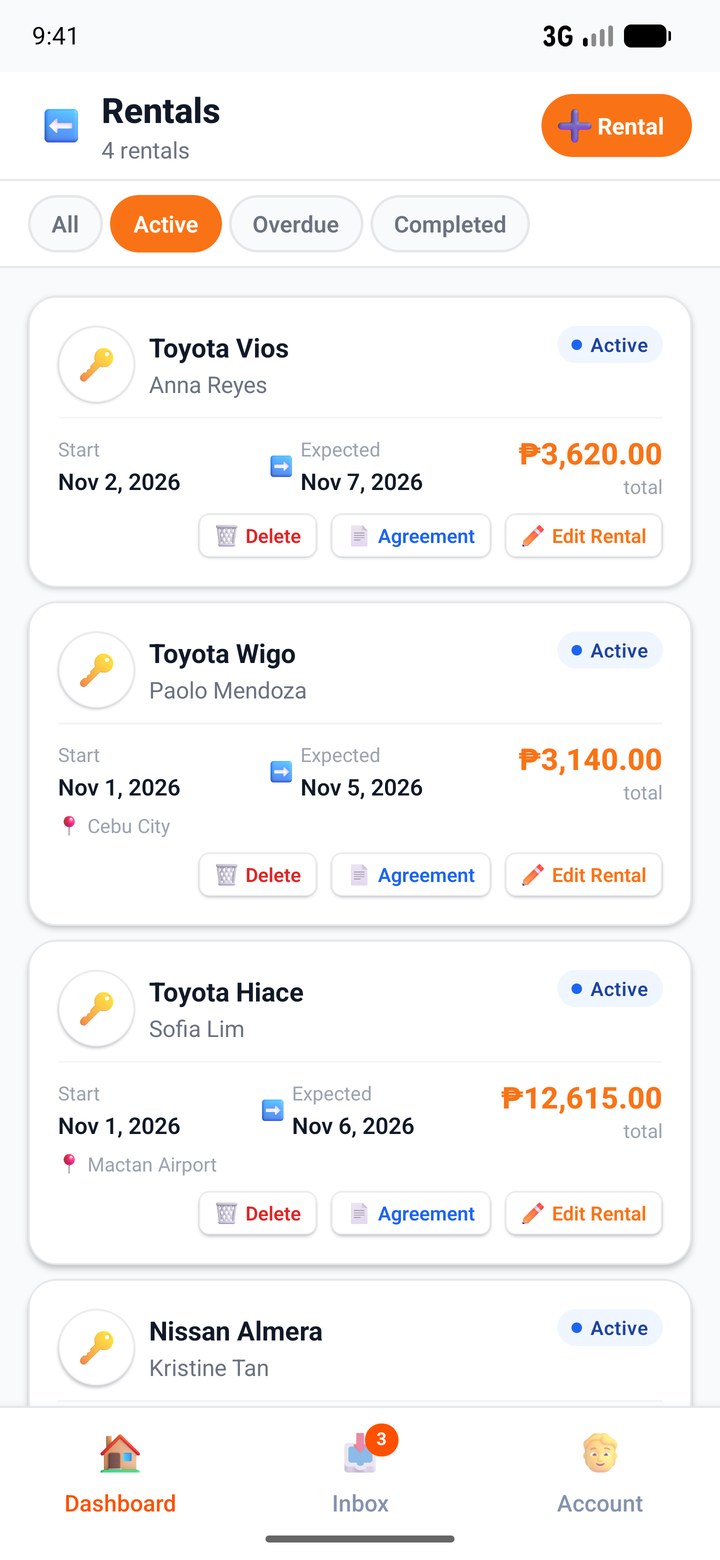
How a booking moves
From inquiry to returned vehicle.
- 01
Check the vehicle
Pick the dates and CarFleex checks them against the vehicle’s reservations, rentals and maintenance. - 02
Reserve with a deposit
Save the reservation against the customer and record the deposit you collected. - 03
Check out
Convert it to a rental at pickup and record odometer, fuel and the payment status. - 04
Check in
On return, add late fees or damage charges and close the rental. The income reaches accounting.
Beyond the counter
Customers see the same availability you do.
Reservations are confirmed by your team, so you decide what gets accepted. The tools below read the same records, so what customers are told matches what you can deliver.
Public page and estimator
Your public business page lists vehicles and rates. On every plan, the rental estimator shows availability for chosen dates and an instant price estimate, with contact buttons for Facebook and phone.
Find rentals on CarFleexOnline booking requests
Switch on Accept Online Bookings and customers can request a vehicle from your public page with a Google account. A request never holds the vehicle: you confirm it into a reservation, or decline it, on the web or in the Android app.
AI answers on Messenger
On Pro, the AI assistant answers “is the SUV free on Friday?” from your real calendar and hands anything uncertain to your staff.
AI assistant for car rental
FAQ
Questions about booking system.
Yes. Creating or editing a reservation or rental is checked against that vehicle’s existing reservations, rentals and maintenance, and an overlapping booking is rejected. The check lives on the server, so it applies to every staff member and to the Android app.
Related
Keep exploring.
Record your first reservation today.
Create a free workspace, add a vehicle and see the overlap check for yourself.